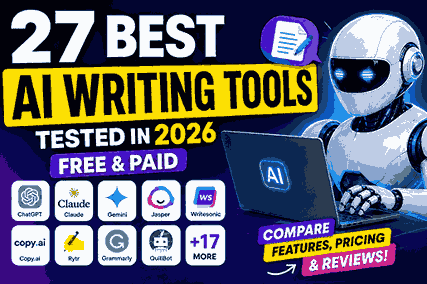
AI Writing Tools: 27 Best AI Writing Assistants Tested in 2026
Have you ever opened your laptop, stared at a blank document for twenty minutes, and somehow ended up watching random YouTube videos instead of writing?
I’ve been there more times than I’d like to admit.
A few years ago, writing a single blog post felt like climbing a mountain. I knew what I wanted to say, but turning those ideas into clear sentences was another story. Some days I’d spend an hour writing the first paragraph, delete everything, and start over.
Then I discovered AI writing tools.
At first, I thought they were magic. I expected them to write perfect articles while I sat back and relaxed.
That turned out to be my biggest mistake.
The first few articles I generated sounded robotic. Some repeated the same ideas. Others included facts that weren’t accurate. I quickly realized that AI isn’t a replacement for a writer. It’s more like a really fast assistant that still needs direction.
Once I changed the way I used these tools, everything improved.
Instead of asking AI to “write my article,” I started using it to brainstorm ideas, organize outlines, rewrite awkward paragraphs, improve grammar, and speed up research. My writing became faster without losing its personal touch.
Since then, I’ve tested dozens of AI writing assistants for blogging, SEO, freelance work, emails, social media content, and even product descriptions.
Some were genuinely impressive.
Others looked great in advertisements but disappointed when it came to real work.
That’s exactly why I created this guide.
Instead of giving you a random list of tools, I’ll explain what each one actually does well, where it struggles, who should use it, and whether it’s worth paying for.
Whether you’re a student trying to finish assignments, a blogger publishing weekly articles, a freelancer writing client content, or a business owner creating marketing copy, you’ll find an AI writing tool that fits your workflow.
Let’s start with a quick overview.
Quick Comparison Table
| Tool | Best For | Free Plan | Starting Price | Overall Rating |
|---|---|---|---|---|
| ChatGPT | Overall writing | ✅ | Paid plans available | ⭐⭐⭐⭐⭐ |
| Claude | Long-form writing | ✅ | Paid plans available | ⭐⭐⭐⭐⭐ |
| Gemini | Research and Google Workspace | ✅ | Paid plans available | ⭐⭐⭐⭐☆ |
| Jasper | Marketing teams | ❌ Trial | Premium | ⭐⭐⭐⭐☆ |
| Writesonic | SEO articles | ✅ | Paid plans available | ⭐⭐⭐⭐☆ |
| Copy.ai | Marketing copy | ✅ | Paid plans available | ⭐⭐⭐⭐☆ |
| Rytr | Budget writing | ✅ | Low-cost | ⭐⭐⭐⭐☆ |
| Grammarly | Editing | ✅ | Premium available | ⭐⭐⭐⭐⭐ |
| QuillBot | Paraphrasing | ✅ | Premium available | ⭐⭐⭐⭐☆ |
| Frase | SEO optimization | Limited | Paid | ⭐⭐⭐⭐☆ |
| Surfer AI | SEO content | ❌ | Paid | ⭐⭐⭐⭐☆ |
| Scalenut | Content marketing | Trial | Paid | ⭐⭐⭐⭐☆ |
| Sudowrite | Creative writing | Trial | Paid | ⭐⭐⭐⭐☆ |
| Anyword | Ad copy | Trial | Paid | ⭐⭐⭐⭐☆ |
| Notion AI | Productivity | Limited | Paid | ⭐⭐⭐⭐☆ |
| ProWritingAid | Editing | ✅ | Premium | ⭐⭐⭐⭐☆ |
| HubSpot AI | Marketing | Limited | Paid | ⭐⭐⭐⭐☆ |
| NeuralText | SEO | Trial | Paid | ⭐⭐⭐⭐☆ |
| GrowthBar | Blogging | Trial | Paid | ⭐⭐⭐⭐☆ |
| Hypotenuse AI | Ecommerce | Trial | Paid | ⭐⭐⭐⭐☆ |
| INK | SEO writing | Trial | Paid | ⭐⭐⭐⭐☆ |
| AI-Writer | Research articles | Trial | Paid | ⭐⭐⭐☆☆ |
| Pepper Content | Enterprise content | Demo | Paid | ⭐⭐⭐⭐☆ |
| Article Forge | Automatic articles | Trial | Paid | ⭐⭐⭐☆☆ |
| Chibi AI | Long-form writing | Trial | Paid | ⭐⭐⭐⭐☆ |
| Describely | Product descriptions | Trial | Paid | ⭐⭐⭐⭐☆ |
| Wordtune | Rewriting | ✅ | Premium | ⭐⭐⭐⭐⭐ |
What Are AI Writing Tools?
Imagine having someone sitting beside you while you write.
They don’t replace you.
Instead, they help whenever you get stuck.
That’s basically what an AI writing tool does.
An AI writing assistant can generate ideas, write drafts, rewrite paragraphs, improve grammar, summarize text, translate content, create headlines, write emails, and even help with SEO.
For example, if you’re writing a blog post about fitness, you can simply type:
“Create an outline for a beginner’s home workout guide.”
Within seconds, you’ll have a complete structure to work with.
Or maybe you’ve written a paragraph that sounds awkward.
Instead of rewriting everything yourself, you can ask the AI to make it clearer or more conversational.
That saves a surprising amount of time.
What AI Writing Tools Can Do
Good AI content writing tools can help you:
- Generate blog ideas
- Write first drafts
- Improve grammar
- Rewrite sentences
- Create social media posts
- Write emails
- Summarize long articles
- Generate product descriptions
- Brainstorm headlines
- Create SEO outlines
These tasks used to take hours.
Now they often take minutes.
What They Can’t Do
This is where many beginners get disappointed.
AI doesn’t truly understand your experiences.
It hasn’t worked with your clients.
It hasn’t traveled where you’ve traveled.
It hasn’t tested every product you review.
That’s why AI-generated content often feels generic if you publish it without editing.
For example, when I asked several AI writing generators to review a smartphone, they all produced similar descriptions. None of them mentioned the small issues I noticed after using the phone for two weeks.
That personal experience is what makes content valuable.
The best results come when you combine AI with your own knowledge.
How Do AI Writing Tools Work?
You don’t need a computer science degree to understand how these tools work.
Think of them as extremely advanced prediction machines.
They’ve learned from huge amounts of publicly available text, books, articles, websites, and other language sources. Instead of copying content, they learn patterns in how people write and respond based on those patterns.
Here are the basic ideas behind them.
Large Language Models
This is the engine behind most modern AI writing software.
It reads your prompt, understands the context, and predicts what words should come next.
That’s why tools like ChatGPT, Claude, and Gemini often produce surprisingly natural responses.
Prompts
A prompt is simply the instruction you give the AI.
Here’s a weak prompt:
Write an article.
Here’s a much better one:
Write a beginner-friendly blog post explaining how students can use AI writing tools to improve assignments without copying AI-generated text.
Notice the difference?
The second prompt gives the AI a clear goal, audience, and direction.
The better your prompt, the better your results.
Context
Modern AI remembers the conversation you’re having with it.
If you’ve already explained your audience, writing style, and goals, the AI can use that information while generating new content.
This makes long projects much easier.
Machine Learning
Machine learning simply means the AI has learned language patterns from enormous amounts of text.
It isn’t searching Google every time you ask a question.
Instead, it’s using everything it has learned during training to generate helpful responses.
Human Editing Still Matters
This is probably the most important lesson I’ve learned.
No AI writing assistant consistently produces a perfect first draft.
Sometimes it repeats ideas.
Sometimes it adds unnecessary filler.
Sometimes it gets facts wrong.
That’s why every article I publish goes through editing before it reaches readers.
AI speeds up the process.
It doesn’t replace quality control.
Why People Are Switching to AI Writing Tools
A few years ago, many writers avoided AI because they thought it would produce low-quality content.
That has changed.
Today’s AI writing tools are much more capable, and people are using them for practical reasons rather than shortcuts.
They Save Time
One of the biggest benefits is speed.
Tasks that once took an hour, like creating an outline or rewriting a section, can often be done in just a few minutes.
That extra time can be spent researching, editing, or improving the final piece.
They Help Beat Writer’s Block
Every writer gets stuck sometimes.
Instead of staring at a blank page, you can ask an AI writing assistant to suggest headlines, introductions, or different ways to explain an idea.
You don’t have to use its exact wording. Sometimes one suggestion is enough to get your creativity moving again.
They Improve Productivity
Writers, marketers, freelancers, and business owners often juggle multiple projects at once.
Using AI for repetitive tasks means you can focus more on strategy, creativity, and polishing your work.
They Make Brainstorming Easier
Need ten blog ideas? Fresh email subject lines? A new angle for an article?
AI can generate options in seconds, giving you a starting point instead of beginning from scratch.
They Speed Up Editing
Even experienced writers overlook awkward phrasing or repetitive sentences.
Tools like Grammarly and Wordtune can quickly highlight areas to improve, making the editing process smoother.
But AI Isn’t Enough on Its Own
Despite all these benefits, AI has limits.
It doesn’t know your personal experiences unless you share them.
It can misunderstand context.
It may present outdated or incorrect information.
And it can’t replace the trust that comes from genuine expertise.
The best content still comes from people who combine AI’s speed with their own knowledge and judgment.
How I Tested These AI Writing Tools
I didn’t rank these tools based on advertisements or feature lists.
I tested them by using them for real writing tasks over several weeks.
For each tool, I created similar prompts so the comparison would be fair. I wrote blog introductions, SEO outlines, product descriptions, email drafts, social media captions, and long-form articles. I also checked how well each tool handled revisions, followed instructions, and maintained a natural tone.
Here are the factors I focused on:
- Output quality: Did the writing sound natural, or did it feel robotic?
- Ease of use: Could a beginner start using it without a steep learning curve?
- Speed: How quickly did it generate useful content?
- Price: Did the features justify the subscription cost?
- Accuracy: Were the facts generally reliable, or did the tool invent information?
- Creativity: Could it produce fresh ideas instead of repeating common phrases?
- SEO features: Did it help with outlines, keywords, readability, and optimization?
- Free version: Was the free plan genuinely useful or too limited?
- Overall value: Would I actually recommend it to someone based on everyday use?
Some tools excelled at long-form articles, while others were much better for marketing copy, editing, or brainstorming. In the next part, we’ll dive into the first group of AI writing tools and see how they performed in real-world testing, starting with ChatGPT, Claude, Gemini, Jasper, Writesonic, and Copy.ai.
AI Writing Tools
Now that we’ve covered how AI writing tools work and how I tested them, let’s get into the tools themselves.
One thing I noticed while testing all 27 tools is that there isn’t one “perfect” AI writing assistant.
Some are excellent at writing long blog posts.
Some are better at SEO.
Others shine when it comes to marketing copy, emails, or creative writing.
That’s why I recommend choosing a tool based on what you actually need instead of simply picking the most popular one.
Let’s start with the six tools I found myself using the most.
1. ChatGPT
Best For: Overall writing, brainstorming, blogging, research assistance, and everyday content creation.
If someone asked me to recommend only one AI writing tool to start with, ChatGPT would probably be my first suggestion.
I’ve used it for everything from blog outlines and YouTube scripts to product descriptions, emails, and even fixing awkward paragraphs.
The biggest advantage is its flexibility.
Unlike many AI writing software that focus on one type of content, ChatGPT can help with almost anything.
Key Features
- Writes blog posts
- Creates outlines
- Generates headlines
- Rewrites paragraphs
- Explains complex topics simply
- Brainstorms ideas
- Creates social media captions
- Helps with coding
- Assists with research
- Supports long conversations
One feature I use almost every day is asking ChatGPT to improve my drafts instead of writing everything from scratch.
For example, I’ll write a paragraph myself and then ask:
“Make this sound more conversational without changing the meaning.”
Most of the time, the result needs only minor edits.
Pros
- Very easy to use
- Excellent for brainstorming
- Supports long-form writing
- Fast responses
- Free version is surprisingly capable
- Works well for beginners and professionals
Cons
- Can occasionally repeat ideas
- Sometimes sounds generic if prompts are vague
- May produce incorrect facts, so fact-checking is important
Pricing
- Free plan available
- Paid plans unlock newer models, faster responses, and additional features
My Experience
ChatGPT has become part of my daily writing workflow.
I rarely ask it to write an entire article because those drafts usually feel too generic.
Instead, I use it as a writing partner.
For one blog post, I already had the information but couldn’t organize it properly. Within a few minutes, ChatGPT helped me turn scattered notes into a logical outline. That alone saved me nearly an hour.
I’ve also found it especially useful when rewriting repetitive paragraphs. Sometimes after writing for hours, every sentence starts sounding the same. ChatGPT helps break that pattern.
Who Should Use It?
ChatGPT is ideal for:
- Bloggers
- Students
- Freelancers
- Content writers
- Small business owners
- YouTubers
- Digital marketers
If you’re only planning to use one AI tool for writing, this is one of the safest choices.
2. Claude
Best For: Long-form writing, natural language, and detailed explanations.
Claude surprised me more than any other tool during testing.
I had heard people say it writes more naturally than most AI models, but I wanted to see if that was actually true.
After using it for several long articles, I understood why so many writers recommend it.
Its writing feels calmer, smoother, and less robotic.
Instead of stuffing paragraphs with unnecessary words, Claude usually keeps things clear and readable.
Key Features
- Excellent long-form writing
- Strong contextual understanding
- Natural conversations
- Summarizes lengthy documents
- Rewrites content
- Brainstorms ideas
- Handles large amounts of text
One thing I really appreciated was how well Claude maintained context.
Even after thousands of words, it remembered the tone and direction of the article much better than some competing tools.
Pros
- Very natural writing style
- Excellent for long articles
- Strong reasoning abilities
- Easy to refine content
- Produces less repetitive output
Cons
- Sometimes overly cautious in responses
- Fewer built-in marketing templates
- Some advanced features require a paid plan
Pricing
- Free version available
- Paid subscription adds higher usage limits and premium capabilities
My Experience
I tested Claude by asking it to write a 2,000-word educational article.
Instead of feeling repetitive after the first few sections, the writing stayed surprisingly consistent.
That doesn’t mean it was publish-ready.
I still edited the article, added personal experience, verified facts, and adjusted the formatting.
But compared to many other AI content writing tools, Claude required fewer edits.
Who Should Use It?
Claude is a great choice for:
- Bloggers
- Researchers
- Students
- Technical writers
- Anyone writing detailed guides
If your main goal is producing long-form educational content, Claude deserves serious consideration.
3. Gemini
Best For: Google Workspace users, research, and productivity.
Gemini fits naturally into Google’s ecosystem.
If you already use Gmail, Google Docs, or Google Drive every day, you’ll probably appreciate how smoothly everything works together.
During testing, I mainly used Gemini for brainstorming article ideas, summarizing information, and organizing research notes.
It performed especially well for those tasks.
Key Features
- Works with Google Workspace
- Generates articles
- Summarizes documents
- Brainstorms ideas
- Assists with research
- Creates emails
- Supports multiple languages
One thing I liked was how quickly it helped organize messy research into a clear structure.
Instead of scrolling through dozens of notes, I could ask Gemini to summarize everything into key points.
Pros
- Great Google integration
- Fast responses
- Easy interface
- Helpful for research
- Good free version
Cons
- Creative writing isn’t always its strongest area
- Sometimes provides shorter answers than expected
- Can require follow-up prompts for detailed content
Pricing
- Free version available
- Premium plans offer more advanced AI features
My Experience
I used Gemini while planning several blog posts.
Instead of asking it to write complete articles, I treated it like a research assistant.
It helped organize ideas, suggested article structures, and generated FAQ sections that I later improved myself.
That workflow felt much more productive than expecting AI to do everything.
Who Should Use It?
Gemini is ideal for:
- Students
- Office workers
- Bloggers
- Researchers
- Anyone already using Google services
4. Jasper
Best For: Marketing teams and businesses creating large amounts of content.
Jasper has been around longer than many of today’s AI writing tools, and that experience shows.
Unlike general AI assistants, Jasper focuses heavily on marketing.
Everything feels designed for businesses creating landing pages, advertisements, email campaigns, and promotional content.
Key Features
- Marketing templates
- Brand voice settings
- Blog writing
- Ad copy generation
- Product descriptions
- Social media content
- Team collaboration
One feature I found useful was the ability to keep a consistent brand voice across multiple pieces of content.
That’s especially valuable if several people work on the same marketing projects.
Pros
- Professional marketing features
- Strong template library
- Good collaboration tools
- Consistent brand voice
- High-quality outputs
Cons
- Expensive for beginners
- Learning curve is slightly higher
- Better suited for businesses than casual users
Pricing
Premium pricing with multiple subscription options depending on usage.
My Experience
I tested Jasper by creating landing page copy for a fictional online course.
The structure was excellent.
Headlines, calls to action, and benefit-focused sections were already organized logically.
However, I still had to personalize the content because it initially sounded like many other marketing pages.
Who Should Use It?
Jasper is best for:
- Marketing agencies
- Businesses
- Copywriters
- Ecommerce brands
- Content teams
If marketing is your main focus, Jasper is one of the strongest AI content writing tools available.
5. Writesonic
Best For: SEO content, blog writing, and marketing.
Writesonic impressed me because it tries to combine AI writing with SEO optimization.
Instead of simply generating text, it also helps organize articles in a search-friendly way.
For bloggers, that’s a useful combination.
Key Features
- Blog writer
- SEO article generation
- Landing page copy
- Product descriptions
- Social media posts
- AI chatbot
- Content optimization
The interface is beginner-friendly, so it doesn’t take long to start creating content.
Pros
- Good SEO support
- Fast article generation
- Easy navigation
- Useful templates
- Free plan available
Cons
- Longer articles sometimes need extra editing
- Output quality depends heavily on prompts
- Premium plans unlock the best features
Pricing
- Free plan available
- Paid plans based on usage and features
My Experience
I asked Writesonic to create a detailed article outline using the same keyword I was targeting.
The outline was surprisingly solid.
The first draft wasn’t ready to publish, but it gave me a structured foundation that saved plenty of planning time.
For bloggers who already know how to edit AI-generated content, that’s a major advantage.
Who Should Use It?
Writesonic is a good option for:
- Bloggers
- SEO writers
- Affiliate marketers
- Small businesses
- Freelancers
6. Copy.ai
Best For: Marketing copy, emails, and short-form content.
Copy.ai focuses less on long articles and more on quick, persuasive writing.
If your work involves creating ads, email campaigns, product descriptions, or social media posts every day, it’s worth considering.
Key Features
- Email writing
- Ad copy
- Product descriptions
- Sales copy
- Social media captions
- Website copy
- Workflow automation
The platform offers dozens of ready-made templates, making it easy to generate content without starting from scratch.
Pros
- Extremely beginner-friendly
- Great for short-form content
- Fast generation
- Plenty of templates
- Helpful free plan
Cons
- Not the best choice for long-form blog posts
- Longer content often requires significant editing
- Some outputs feel repetitive
Pricing
- Free plan available
- Paid plans include higher usage limits and advanced features
My Experience
I used Copy.ai to generate product descriptions and promotional emails.
Those were easily its strongest areas.
When I tested it for a 2,500-word blog article, the quality dropped noticeably. The content became repetitive and lacked the depth I expected.
For shorter marketing content, though, it performed consistently well.
Who Should Use It?
Copy.ai is a solid choice for:
- Ecommerce store owners
- Marketing professionals
- Email marketers
- Social media managers
- Small businesses
It may not replace a dedicated long-form AI writing assistant, but for quick marketing content, it gets the job done efficiently.
Great — let’s continue with Part 3 of the article. This section covers seven tools that are especially useful for students, bloggers, SEO writers, and creative writers.
One thing I noticed while testing these tools is that many of them don’t try to do everything. Instead, they focus on a specific problem — grammar, paraphrasing, SEO, or creative storytelling — which usually makes them more effective in their niche.
7. Rytr
Best For: Budget-friendly AI writing
Rytr was one of the first AI writing tools I tested when I wanted something affordable.
The interface is simple, and it doesn’t overwhelm you with advanced settings. For beginners, that’s actually a good thing.
Key Features
- Blog outlines
- Social media posts
- Email writing
- Product descriptions
- Multiple writing tones
- Plagiarism checking (premium)
Pros
- Very affordable
- Easy to learn
- Decent output quality
- Good free plan
Cons
- Long-form content can feel repetitive
- Fewer advanced features than premium competitors
- SEO support is limited
Pricing
Free plan available with low-cost paid options.
My Experience
I used Rytr for quick blog introductions and social media captions. It handled short-form content well, but when I pushed it beyond 1,500 words, the writing started repeating ideas.
Who Should Use It? Students, beginners, freelancers on a budget, and small business owners.
8. Grammarly
Best For: Editing and grammar correction
Grammarly isn’t a full AI writing generator like ChatGPT or Claude, but I consider it essential.
Even after writing professionally for years, I still miss small mistakes. Grammarly catches many of them instantly.
Key Features
- Grammar correction
- Spelling checks
- Clarity suggestions
- Tone adjustments
- AI rewriting assistance
Pros
- Excellent grammar detection
- Works across websites and apps
- Improves readability
- Great free version
Cons
- Not designed for generating full articles
- Premium features can be expensive
- Occasionally over-corrects stylistic choices
Pricing
Free plan available; premium plan adds advanced suggestions.
My Experience
One article I wrote looked perfect until Grammarly highlighted six awkward sentences I had completely overlooked. Those small improvements made the final version much smoother to read.
Who Should Use It? Literally anyone who writes regularly.
9. QuillBot
Best For: Paraphrasing and rewriting
QuillBot is popular among students, but bloggers and freelancers can benefit from it too.
Instead of generating content from scratch, it helps rewrite existing text in different styles.
Key Features
- Paraphrasing modes
- Summarizer
- Grammar checker
- Citation tools
- Translation support
Pros
- Excellent for rewriting
- Multiple writing modes
- Easy to use
- Useful free version
Cons
- Not ideal for creating original long-form content
- Free plan has limitations
- Some rewrites need manual polishing
Pricing
Free and premium plans available.
My Experience
I often use QuillBot when a paragraph feels repetitive. Instead of rewriting everything manually, I generate a few alternative versions and then combine the best parts.
Who Should Use It? Students, bloggers, editors, and content writers.
10. Frase
Best For: SEO research and content optimization
Frase is built with SEO in mind.
Rather than just writing content, it analyzes what’s already ranking in search results and helps you create a more complete article.
Key Features
- SEO content briefs
- Competitor analysis
- Question research
- AI writing assistance
- Content optimization
Pros
- Strong SEO features
- Excellent research tools
- Helps identify content gaps
- Good for bloggers
Cons
- Learning curve for beginners
- More focused on SEO than creativity
- Premium pricing
Pricing
Paid plans with limited trial options.
My Experience
When I compared one of my blog posts against Frase’s recommendations, I discovered several important subtopics I had missed. Adding those sections improved the article significantly.
Who Should Use It? Bloggers, affiliate marketers, and SEO content creators.
11. Surfer AI
Best For: SEO-focused article creation
Surfer AI combines AI writing with Surfer SEO’s optimization tools.
If your primary goal is ranking content on Google, this is one of the more specialized options available.
Key Features
- AI article generation
- SEO scoring
- Keyword optimization
- Competitor analysis
- Content structure recommendations
Pros
- Strong SEO integration
- Detailed optimization suggestions
- Useful for long-form content
- Good competitor insights
Cons
- Expensive
- Can encourage over-optimization if used carelessly
- Requires SEO knowledge to get the best results
Pricing
Premium pricing; no substantial free plan.
My Experience
I tested Surfer AI on an informational keyword and was impressed by how well it structured the article. However, I still rewrote several sections to add personal experience and make the content feel less machine-generated.
Who Should Use It? SEO professionals, affiliate marketers, and serious bloggers.
12. Scalenut
Best For: Content marketing and SEO workflows
Scalenut sits somewhere between Frase and Surfer AI.
It offers research, planning, writing, and optimization tools in one platform.
Key Features
- Keyword research
- Content briefs
- AI writing
- SEO optimization
- Content planning
Pros
- All-in-one workflow
- Good SEO tools
- Helpful content planning features
- Suitable for teams
Cons
- Interface can feel busy at first
- Higher learning curve
- Premium subscription required for full functionality
Pricing
Paid plans with trial options.
My Experience
I liked using Scalenut for planning multiple articles at once. Instead of researching each keyword separately, I could organize an entire content cluster inside one dashboard.
Who Should Use It? Content marketers, agencies, and bloggers managing multiple articles.
13. Sudowrite
Best For: Creative writing and storytelling
Sudowrite is completely different from most SEO-focused AI writing tools.
It’s designed for fiction writers, storytellers, and anyone working on creative projects.
Key Features
- Story expansion
- Character development
- Dialogue suggestions
- Scene descriptions
- Creative brainstorming
Pros
- Excellent creative assistance
- Generates vivid descriptions
- Helpful for overcoming writer’s block
- Unique storytelling features
Cons
- Not built for SEO articles
- Less useful for business writing
- Paid subscription needed for serious use
Pricing
Trial available; premium plans for extended usage.
My Experience
I tested Sudowrite by writing a short fictional scene. The descriptions were noticeably more imaginative than what I received from general-purpose AI tools. It felt less like a marketing assistant and more like a creative collaborator.
Who Should Use It? Novelists, screenwriters, fiction writers, and creative storytellers.
| Tool | Best For |
|---|---|
| Rytr | Affordable AI writing |
| Grammarly | Grammar and editing |
| QuillBot | Paraphrasing |
| Frase | SEO research |
| Surfer AI | SEO optimization |
| Scalenut | Content marketing workflows |
| Sudowrite | Creative writing |
Which One Would I Pick?
Best budget option
Rytr
Best editing tool
For polishing grammar and clarity
Grammarly
Best for SEO bloggers
Research and optimization
Frase
Best for advanced SEO
Optimization and competitor analysis
Surfer AI
Best for creative writing
Stories, scenes, and fiction
Sudowrite
AI Writing Tools Worth Considering
By this point, you’ve probably noticed a pattern.
The biggest difference between AI writing tools isn’t necessarily the quality of their AI models. It’s the problem they’re trying to solve.
Some focus on marketing.
Others are built for SEO.
A few are designed for editing, while some specialize in e-commerce or team collaboration.
The next group of tools may not be as widely discussed as ChatGPT or Claude, but several of them are excellent in the right situation.
Let’s continue.
14. Anyword
Best For: Marketing copy that focuses on conversions
If your goal is to write content that encourages people to click, sign up, or buy something, Anyword is worth looking at.
Unlike general AI writing assistants, it focuses heavily on marketing performance.
One feature I found interesting was its predictive performance scoring. Instead of only generating text, it estimates how well different versions of your copy might perform.
While I wouldn’t rely on those scores completely, they’re useful when comparing multiple headlines or ad variations.
Key Features
- Marketing copy generation
- Ad copy
- Landing pages
- Email campaigns
- Predictive performance scores
- Brand voice customization
Pros
- Excellent for advertisers
- Strong copywriting templates
- Helpful performance insights
- Easy to create multiple variations
Cons
- Expensive for casual users
- Not ideal for long blog posts
- Best features require premium plans
Pricing
Free trial available. Paid plans are designed mainly for businesses and marketing teams.
My Experience
I tested Anyword by generating Facebook ad headlines for the same product.
Instead of giving me one option, it produced several different approaches. Some focused on urgency, while others emphasized benefits or curiosity.
That variety made it much easier to choose the right direction.
Who Should Use It?
- Digital marketers
- Advertising agencies
- Ecommerce businesses
- Copywriters
15. Notion AI
Best For: Productivity and note-taking
If you already use Notion to organize projects, you’ll probably enjoy Notion AI.
Instead of opening another AI writing tool, you can brainstorm, summarize, rewrite, and organize information directly inside your workspace.
That convenience became one of my favorite things during testing.
Key Features
- AI summaries
- Meeting notes
- Brainstorming
- Writing assistance
- Task organization
- Document editing
Pros
- Built directly into Notion
- Great productivity tool
- Excellent for organizing ideas
- Clean interface
Cons
- Limited outside the Notion ecosystem
- Not the strongest option for long-form blog writing
- Premium features require a subscription
Pricing
Available as an add-on within Notion’s paid plans.
My Experience
I used Notion AI while planning several articles.
Instead of jumping between different apps, I could keep outlines, research, and AI-generated ideas in one place.
That made the writing process feel much more organized.
Who Should Use It?
- Students
- Project managers
- Bloggers
- Business teams
- Anyone already using Notion
16. ProWritingAid
Best For: Deep editing and writing improvement
Grammarly catches grammar mistakes.
ProWritingAid goes much deeper.
It analyzes readability, sentence variety, pacing, overused words, transitions, and writing style.
Because of that, I found it especially useful for long articles.
Key Features
- Grammar checking
- Style analysis
- Readability reports
- Sentence structure analysis
- Overused word detection
- Writing reports
Pros
- Excellent editing suggestions
- Detailed reports
- Great for long-form writing
- Helpful learning tool
Cons
- Interface can feel overwhelming
- Slower than Grammarly
- Too many suggestions for casual writers
Pricing
Free version available with premium upgrades.
My Experience
One article I tested had dozens of sentences beginning the same way.
ProWritingAid immediately pointed that out.
It’s the kind of issue readers may not consciously notice, but fixing it made the article flow much better.
Who Should Use It?
- Bloggers
- Authors
- Editors
- Students
- Long-form content writers
17. HubSpot AI
Best For: Marketing teams and CRM users
HubSpot AI is designed for businesses already using HubSpot’s marketing platform.
Instead of being a standalone AI writing tool, it works alongside customer relationship management, email marketing, and sales automation.
Key Features
- Email generation
- Marketing copy
- Blog assistance
- CRM integration
- Landing pages
- Sales content
Pros
- Excellent business integration
- Saves time for marketing teams
- Useful automation features
- Good collaboration
Cons
- Less useful outside HubSpot
- Expensive for individuals
- Learning curve for beginners
Pricing
Included with selected HubSpot plans.
My Experience
The writing quality was good, but what impressed me most was how smoothly it fit into existing marketing workflows.
Instead of copying content between different platforms, everything stayed inside one system.
Who Should Use It?
- Marketing agencies
- Businesses
- Sales teams
- HubSpot users
18. NeuralText
Best For: Keyword research and SEO writing
NeuralText combines keyword research with AI writing.
It’s particularly useful during the planning stage of an article because it helps identify what readers are searching for before you begin writing.
Key Features
- Keyword clustering
- SERP analysis
- AI writing
- SEO optimization
- Content briefs
Pros
- Helpful keyword research
- Easy-to-read interface
- Strong SEO planning tools
- Good content briefs
Cons
- Smaller feature set than some competitors
- Limited free access
- Primarily focused on SEO
Pricing
Paid plans with trial options.
My Experience
I used NeuralText to build a content outline around a competitive keyword.
The suggested headings covered several search intents that I had initially overlooked.
That saved me time during research.
Who Should Use It?
- SEO writers
- Bloggers
- Affiliate marketers
- Agencies
19. GrowthBar
Best For: Bloggers who want simple SEO tools
GrowthBar keeps things simple.
Instead of overwhelming users with hundreds of reports, it focuses on helping you research keywords, generate outlines, and optimize blog content.
Key Features
- AI article writing
- Keyword research
- Competitor analysis
- Blog outlines
- SEO recommendations
Pros
- Beginner-friendly
- Simple interface
- Fast keyword research
- Helpful article outlines
Cons
- Fewer advanced SEO features
- Premium pricing
- Limited free trial
Pricing
Trial available with paid subscriptions.
My Experience
GrowthBar felt much easier to learn than some enterprise SEO tools.
If you’re publishing a personal blog, that simplicity is actually an advantage.
Who Should Use It?
- Bloggers
- Freelancers
- Small businesses
20. Hypotenuse AI
Best For: Ecommerce product descriptions
Hypotenuse AI is clearly built for online stores.
Instead of focusing on blog articles, it excels at creating product descriptions, category pages, and ecommerce content.
Key Features
- Product descriptions
- Bulk content generation
- Ecommerce copy
- Image-to-text assistance
- SEO optimization
Pros
- Saves huge amounts of time
- Excellent for large product catalogs
- Supports bulk generation
- Easy workflow
Cons
- Limited usefulness for general blogging
- Premium pricing
- Best suited for ecommerce
Pricing
Paid subscription with trial.
My Experience
I tested it with several fictional products.
Instead of producing identical descriptions, it created unique variations while maintaining a consistent tone.
That would be incredibly useful for stores with hundreds of products.
Who Should Use It?
- Ecommerce businesses
- Amazon sellers
- Shopify store owners
- Online retailers
21. INK
Best For: SEO writing and optimization
INK combines AI writing with SEO recommendations.
It aims to help users create content that’s both readable and optimized for search engines.
Key Features
- AI article generation
- SEO scoring
- Keyword optimization
- Writing assistant
- Content planning
Pros
- Good balance of writing and SEO
- Helpful optimization suggestions
- User-friendly interface
- Suitable for beginners
Cons
- Some recommendations feel repetitive
- Paid plans unlock most features
- SEO score shouldn’t be followed blindly
Pricing
Free trial with premium subscriptions.
My Experience
INK encouraged me to include related keywords I hadn’t considered.
However, I avoided forcing every recommendation into the article because natural writing always comes first.
Who Should Use It?
- Bloggers
- SEO beginners
- Affiliate marketers
22. AI-Writer
Best For: Research-based articles
AI-Writer tries to create factual content by using source-based information.
That makes it different from many general AI writing assistants.
Key Features
- Article generation
- Research assistance
- Topic suggestions
- Citation support
- SEO writing
Pros
- Useful research features
- Fast article creation
- Helpful starting drafts
Cons
- Writing often needs heavy editing
- Interface feels dated
- Limited creativity
Pricing
Paid subscription with trial.
My Experience
I found AI-Writer useful for collecting information quickly, but I spent more time editing its drafts than I did with ChatGPT or Claude.
Who Should Use It?
- Researchers
- Bloggers
- Students
23. Pepper Content
Best For: Enterprise content marketing
Pepper Content is aimed at larger organizations rather than individual bloggers.
It combines AI writing with professional content services and workflow management.
Key Features
- AI writing
- Content management
- Team collaboration
- Marketing workflows
- Analytics
Pros
- Built for teams
- Strong collaboration tools
- Enterprise features
- Scalable workflow
Cons
- Too expensive for individuals
- More features than most bloggers need
- Learning curve
Pricing
Custom business pricing.
My Experience
This felt more like a complete content platform than a simple AI writing assistant.
Small websites probably won’t need everything it offers.
Who Should Use It?
- Large businesses
- Marketing agencies
- Enterprise teams
24. Article Forge
Best For: Automated article generation
Article Forge has been around for years and focuses on generating complete articles with minimal input.
While it saves time, I found the quality less consistent than newer AI writing tools.
Key Features
- Automatic article generation
- Bulk article creation
- Multiple languages
- SEO-friendly formatting
Pros
- Quick content generation
- Easy to use
- Supports bulk creation
Cons
- Writing quality varies
- Often requires major editing
- Less natural than modern AI tools
Pricing
Paid plans with trial access.
My Experience
The articles were readable but lacked personality.
For informational content, I would definitely rewrite and expand them before publishing.
Who Should Use It?
- Website owners creating first drafts
- Users comfortable with extensive editing
25. Chibi AI
Best For: Long-form writing with more control
Chibi AI isn’t as famous as ChatGPT, but it gives writers more control over how content is generated.
That’s useful if you enjoy guiding the AI instead of letting it write everything automatically.
Key Features
- Long-form writing
- Prompt chaining
- Story planning
- Workflow customization
- Content organization
Pros
- Flexible workflow
- Good long-form support
- Highly customizable
Cons
- Learning curve
- Smaller community
- Premium subscription required
Pricing
Paid plans available.
My Experience
Once I understood the workflow, Chibi AI became much easier to use.
It rewards users who like experimenting with prompts.
Who Should Use It?
- Experienced writers
- Bloggers
- Novelists
26. Describely
Best For: Ecommerce product content
Describely focuses almost entirely on ecommerce businesses.
If your store has hundreds or even thousands of products, writing descriptions manually becomes almost impossible.
That’s exactly the problem this tool tries to solve.
Key Features
- Product descriptions
- SEO metadata
- Product titles
- Bulk generation
- Ecommerce optimization
Pros
- Huge time saver
- Consistent product descriptions
- Bulk content creation
- Easy workflow
Cons
- Limited use outside ecommerce
- Premium pricing
- Less useful for bloggers
Pricing
Paid subscription.
My Experience
For online stores, Describely can dramatically reduce the amount of repetitive writing required every week.
Who Should Use It?
- Ecommerce brands
- Shopify stores
- Amazon sellers
27. Wordtune
Best For: Rewriting and improving existing content
Wordtune isn’t meant to replace your writing.
Instead, it improves what you’ve already written.
That simple idea makes it one of my favorite editing tools.
Key Features
- Sentence rewriting
- Tone adjustment
- Grammar improvements
- Sentence shortening
- Sentence expansion
Pros
- Extremely easy to use
- Natural rewrites
- Great browser extension
- Excellent for editing
Cons
- Doesn’t generate full articles
- Premium features require payment
- Less useful for brainstorming
Pricing
Free plan available with premium upgrades.
My Experience
I regularly tested Wordtune on paragraphs that sounded awkward.
Most of the suggestions felt natural instead of robotic.
I rarely accepted every recommendation, but it often gave me better ways to express the same idea.
Who Should Use It?
- Bloggers
- Students
- Editors
- Freelancers
- Anyone who wants cleaner writing
My Overall Favorites After Testing All 27 Tools
After spending weeks testing these AI writing tools, a few clearly stood out.
- Best Overall: ChatGPT
- Best for Natural Long-Form Writing: Claude
- Best for Google Users: Gemini
- Best for SEO: Surfer AI
- Best SEO Research Tool: Frase
- Best Budget Option: Rytr
- Best Grammar Checker: Grammarly
- Best Rewriting Tool: Wordtune
- Best Paraphrasing Tool: QuillBot
- Best Creative Writing Tool: Sudowrite
- Best Marketing Tool: Jasper
- Best Ecommerce Tool: Hypotenuse AI
.
Choosing the Right AI Writing Tool and Using It the Smart Way
After testing all 27 AI writing tools, one thing became obvious.
The “best” tool depends entirely on what you’re trying to accomplish.
A student doesn’t need the same features as an SEO blogger.
A freelance copywriter has different priorities than an ecommerce business owner.
Instead of chasing the newest AI tool every month, it’s better to choose one that fits your workflow and learn how to use it well.
This final section will help you do exactly that.
Best AI Writing Tools by Use Case
If you’re still unsure which tool to pick, here’s a quick breakdown based on different needs.
Best Overall AI Writing Tool
Winner: ChatGPT
If I could only keep one AI writing assistant, it would be ChatGPT.
It’s incredibly flexible. Whether I need blog outlines, email drafts, brainstorming help, or paragraph rewrites, it handles all of those tasks well. It also improves significantly when you provide clear prompts and edit the output before publishing.
For most people, ChatGPT offers the best balance of quality, ease of use, and value.
Best AI Writing Tool for Students
Winner: Gemini
Students often need help summarizing notes, understanding difficult topics, creating study guides, and improving assignments.
Gemini works especially well if you’re already using Google Docs, Google Drive, and Gmail. Its integration with Google’s ecosystem makes everyday schoolwork much easier.
That said, remember that AI should help you learn—not do your assignments for you.
Best AI Writing Tool for Bloggers
Winner: Claude
Writing a 2,000-word article isn’t the same as writing a tweet or an email.
Claude consistently produced some of the most natural long-form content during my testing. The paragraphs flowed well, repeated ideas less often, and usually required fewer edits than many competitors.
For bloggers who publish detailed guides, it’s an excellent choice.
Best AI Writing Tool for SEO
Winner: Surfer AI
If ranking on Google is your top priority, Surfer AI deserves serious attention.
It combines AI writing with keyword recommendations, competitor analysis, and content optimization.
Just remember that SEO scores are only guidelines. Always write for real readers first.
Best AI Writing Tool for Freelancers
Winner: ChatGPT
Freelancers often switch between blog posts, emails, proposals, website copy, and social media content.
ChatGPT’s versatility makes it ideal for that kind of workload.
Instead of paying for multiple specialized tools, many freelancers can accomplish most of their work with one platform.
Best AI Writing Tool for Marketing
Winner: Jasper
Jasper is built with marketing teams in mind.
From ad copy and landing pages to email campaigns and brand voice management, it offers features that many general AI writing tools don’t.
Businesses producing high volumes of marketing content will likely get the most value from it.
Best Free AI Writing Tool
Winner: ChatGPT Free
Many people assume they need an expensive subscription to benefit from AI writing.
That hasn’t been my experience.
The free version of ChatGPT is more than capable of helping with brainstorming, outlines, rewriting, and drafting. While paid plans offer extra features, beginners can accomplish a lot without spending anything.
Best AI Writing Tool for Long-Form Articles
Winner: Claude
If your work involves detailed tutorials, guides, or educational content, Claude is hard to beat.
Its writing stays more consistent across long documents, which means you’ll spend less time fixing repetitive sections.
Free vs. Paid AI Writing Tools
One of the most common questions I hear is:
“Do I actually need to pay for an AI writing tool?”
The answer depends on how often you write.
If you only create occasional blog posts, school assignments, or social media captions, a free plan may be all you need.
But if writing is part of your job, a paid subscription can save enough time to justify the cost.
Here’s a simple comparison:
| Feature | Free AI Writing Tools | Paid AI Writing Tools |
|---|---|---|
| Content Quality | Good | Usually better |
| Word Limits | Limited | Much higher |
| AI Models | Basic or limited | Latest and most capable |
| Templates | Few | Large library |
| Speed | Standard | Faster responses |
| Team Features | Rare | Common |
| SEO Features | Limited | More advanced |
| Customer Support | Basic | Priority support |
| Overall Value | Great for beginners | Best for professionals |
My Recommendation
Start with a free plan.
Learn how to write effective prompts.
Only upgrade when you genuinely need the additional features.
Many people buy expensive AI subscriptions before they’ve learned how to use the free versions effectively.
Can AI Writing Tools Help You Rank on Google?
Yes.
But not for the reason many people think.
Google doesn’t reward content simply because it was written by a human.
It also doesn’t reward content simply because AI created it.
What matters is whether the content is genuinely useful.
Over the past year, I’ve seen AI-generated articles rank very well.
I’ve also seen thousands disappear from search results.
The difference wasn’t AI.
It was quality.
Focus on Helpful Content
Ask yourself:
Does this article actually solve the reader’s problem?
If the answer is yes, you’re already moving in the right direction.
If you’re publishing AI-generated text without reviewing it, readers will usually notice—and so will search engines over time.
Add Human Experience
This is where you can stand out.
Instead of saying:
“ChatGPT is a good AI writing tool.”
Explain why.
Share what happened when you used it.
Mention what worked, what didn’t, and what surprised you.
Those personal insights make your content much more valuable than a generic AI-generated article.
Follow Google’s E-E-A-T Principles
High-quality content demonstrates:
- Experience
- Expertise
- Authoritativeness
- Trustworthiness
You don’t need to be a famous expert.
You simply need to write honestly, accurately, and from real experience whenever possible.
Keep Your Content Original
Even when using AI, avoid copying competitors or publishing generated text without changes.
Rewrite, expand, fact-check, and add your own examples.
That’s what turns an average article into something readers want to share.
Tips to Get Better Results from AI Writing Tools
After months of testing different AI writing assistants, these habits consistently produced the best content.
Write Better Prompts
Instead of saying:
“Write an article about AI.”
Try something like:
“Write a beginner-friendly guide explaining AI writing tools for bloggers using a conversational tone with practical examples.”
Specific prompts almost always produce better results.
Never Publish the First Draft
Think of AI’s first draft as raw material.
Read every sentence.
Rewrite awkward sections.
Remove repetition.
Improve transitions.
The editing process is where the real quality comes from.
Add Your Own Experience
Readers trust people, not software.
Include:
- Personal observations
- Mistakes you made
- Lessons learned
- Real examples
- Practical advice
Those details make your article feel authentic.
Verify Facts
AI occasionally makes mistakes.
Always double-check:
- Statistics
- Pricing
- Product features
- Dates
- Technical information
Fact-checking only takes a few minutes but can save your credibility.
Keep Learning
AI writing tools improve constantly.
A prompt that worked six months ago may not be the best approach today.
Experiment with new prompting techniques and workflows to get better results over time.
Common Mistakes to Avoid
I’ve made most of these mistakes myself, so learning from them can save you a lot of time.
Copying AI Output Without Editing
This is probably the biggest mistake beginners make.
AI-generated content often sounds fine at first, but after reading it carefully, you’ll notice repetition, generic wording, and missing details.
Always edit before publishing.
Trusting Every Fact
AI is confident even when it’s wrong.
Never assume every statistic or claim is accurate.
Verify important information using reliable sources.
Using Only One Prompt
If the first response isn’t great, don’t give up.
Rewrite your prompt.
Add more context.
Ask follow-up questions.
The second or third response is often much better than the first.
Stuffing Keywords Everywhere
Years ago, repeating the same keyword over and over sometimes worked for SEO.
Today, it usually hurts readability.
Use your target keyword naturally and focus on answering the reader’s questions.
Ignoring Internal Links
If you’re publishing on a blog, connect related articles together.
Internal links help readers discover more content and improve your site’s overall structure.
Depending on AI for Everything
AI is an assistant.
It’s not your replacement.
Use it to save time, generate ideas, and improve your writing—but let your own experience shape the final article.
Frequently Asked Questions
What is the best AI writing tool?
For most users, ChatGPT offers the best combination of flexibility, writing quality, and ease of use. However, the ideal choice depends on your specific needs. Claude is excellent for long-form writing, while Jasper is better suited for marketing content.
Are AI writing tools free?
Many AI writing tools offer free plans or free trials. ChatGPT, Claude, Gemini, Grammarly, QuillBot, Rytr, and Wordtune all provide free versions with certain limitations.
Can AI write blog posts?
Yes. AI can generate blog posts, outlines, introductions, and even complete drafts. However, the best results come when you edit the content, add personal insights, and verify the facts before publishing.
Can AI replace human writers?
Not completely.
AI is excellent at speeding up the writing process, but it can’t replace personal experience, creativity, critical thinking, or emotional storytelling.
The strongest content usually combines AI assistance with human editing.
Which AI writing tool is best for students?
Gemini is a great choice because it integrates well with Google Workspace. ChatGPT is another excellent option for explaining concepts, brainstorming ideas, and improving writing.
Is AI writing good for SEO?
Yes, if it’s used responsibly.
Helpful, accurate, well-edited AI-assisted content can perform well in search results. Thin, repetitive, or low-quality content usually won’t.
Does Google penalize AI-written content?
Google focuses on content quality rather than how it was created. AI-assisted content can rank well if it is original, accurate, and genuinely helpful to readers.
Which AI writing tool is best for beginners?
ChatGPT is one of the easiest AI writing assistants to learn. Its simple interface and conversational style make it approachable for first-time users.
Can AI create plagiarism-free content?
Most AI writing tools generate original text rather than copying existing articles. Even so, it’s a good practice to check important content with a plagiarism checker before publishing.
Is ChatGPT the best AI writing tool?
For many users, yes.
Its versatility, strong writing capabilities, and broad range of use cases make it one of the best all-around AI writing assistants available today.
Final Thoughts
After spending weeks testing these 27 AI writing tools, I’ve come to one simple conclusion:
You don’t need every AI tool.
You just need the right one.
If you’re a beginner, start with ChatGPT or Gemini. They’re easy to use, offer generous free plans, and can handle a wide variety of writing tasks.
If you’re a blogger who publishes long, detailed articles, Claude is one of the strongest options I’ve tested.
For writers focused on SEO, Surfer AI and Frase provide useful optimization features that can simplify research and content planning.
If marketing is your priority, Jasper remains a solid choice, especially for businesses creating ads, landing pages, and email campaigns.
The biggest lesson I learned wasn’t about any specific tool—it was about how to use them.
The best articles I’ve published didn’t come from clicking a single “Generate” button.
They came from combining AI’s speed with careful editing, fact-checking, and personal experience.
That’s the approach I’d recommend to anyone.
Start with one tool.
Learn its strengths.
Build a workflow that saves you time.
And remember, AI works best as a writing assistant—not as a replacement for your own ideas, experience, and voice.
If you use it that way, you’ll not only write faster, but you’ll also create content that’s more useful, more trustworthy, and far more enjoyable for people to read.
Related posts:
AI for business
top 10 ai tools for students free