
AI Presentation Tools: The Ones Worth Using When You Need Great Slides Fast
I Used to Spend More Time Designing Slides Than Preparing What I Was Going to Say
A few years ago, I thought creating a presentation would be the easiest part of any project. I was wrong.
I’d finish researching a topic, open PowerPoint, and then spend hours changing fonts, moving images, fixing alignment, and wondering why my slides still looked average. Instead of focusing on the message, I was obsessed with making everything “look professional.”
When AI presentation tools started becoming popular, I was skeptical. I assumed they would produce generic templates that needed almost as much editing as building slides from scratch.
After testing several of them, I realized that wasn’t always true.
Some AI presentation makers genuinely save hours of work. Others look impressive in advertisements but require so much editing that you’re better off starting from a blank presentation.
If you’re trying to find an AI presentation tool that actually helps instead of slowing you down, this guide will save you a lot of trial and error.
What Are AI Presentation Tools?
AI presentation tools use artificial intelligence to help create presentations much faster than traditional slide software.
Instead of designing every slide manually, you simply describe your topic, upload notes, paste an article, or provide a document. The AI then generates a complete presentation with headings, layouts, visuals, icons, and suggested content.
Most modern AI presentation tools can also:
- Create presentations from a prompt
- Rewrite text to make it shorter and clearer
- Suggest images and icons
- Improve slide layouts automatically
- Generate speaker notes
- Translate presentations into different languages
- Keep branding consistent across every slide
The best part is that they remove repetitive design work, allowing you to spend more time improving your ideas.
Who Can Benefit From AI Presentation Tools?
These tools aren’t just for business professionals.
They’re useful for almost anyone who creates presentations regularly.
Students
Instead of spending an entire evening designing slides for a class project, students can generate a strong first draft within minutes and then customize it.
Teachers
Teachers can quickly prepare lesson presentations without rebuilding the same layouts every week.
Business Teams
Marketing teams, startups, consultants, and sales professionals often create presentations under tight deadlines. AI can speed up the first draft significantly.
Freelancers
If you deliver presentations to clients, AI helps reduce preparation time while keeping slides clean and professional.
Content Creators
YouTubers and bloggers can convert articles into presentation-style content for webinars, courses, or social media.
What Makes a Good AI Presentation Tool?
Not every AI tool deserves your time.
After comparing different options, these are the features that matter most.
Easy Presentation Generation
A good tool should create an organized presentation from a simple prompt without producing random or repetitive slides.
Customization
AI should help you work faster—not lock you into designs you can’t edit.
Look for tools that allow you to change:
- Colors
- Fonts
- Layouts
- Images
- Icons
- Animations
Attractive Templates
A presentation shouldn’t look like it came from 2012.
Modern templates make a huge difference, especially if you’re presenting to clients or management.
Export Options
Make sure you can export your work as:
- PowerPoint (.pptx)
- Shareable online presentation
This gives you flexibility later.
Collaboration
If multiple people are working on one presentation, real-time collaboration can save a surprising amount of time.
1. Gamma
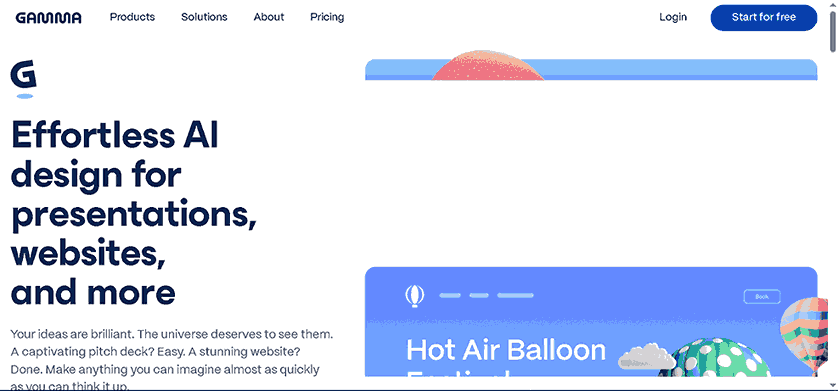
Best for Creating Presentations From Simple Prompts
Gamma is one of the AI presentation tools that feels different from traditional presentation software.
Instead of opening a blank slide, you start by describing your topic.
For example:
“Create a 10-slide presentation about renewable energy for college students.”
Within moments, Gamma generates an organized presentation with titles, visuals, layouts, and content suggestions.
What I Like
- Fast presentation generation
- Modern layouts
- Easy editing
- Attractive design without much effort
- Works well for reports and proposals
Downsides
Sometimes the AI writes too much text on a slide. You’ll usually want to shorten it before presenting.
Best for:
- Students
- Professionals
- Startup founders
- Business presentations
2. Beautiful.ai
Best for Professional Business Presentations
Beautiful.ai focuses heavily on design.
Instead of manually adjusting every object on the slide, the software automatically keeps everything aligned.
This may sound like a small feature, but after creating several presentations, it saves a surprising amount of time.
Strengths
- Professional templates
- Automatic layout adjustments
- Brand consistency
- Team collaboration
Things to Know
It’s more structured than some competitors, so creative users may occasionally feel limited.
However, for business presentations, that consistency is actually a strength.
3. Canva Magic Design
Best for Beginners
Many people already use Canva for social media graphics.
Its AI presentation features make it even more useful.
You simply describe your presentation topic, choose a style, and Canva generates editable slides that fit your brand.
One advantage is that you can edit everything using Canva’s familiar drag-and-drop interface.
That means even someone with no design experience can produce a polished presentation without feeling overwhelmed.
Why People Like Canva
- Huge template library
- Beginner-friendly interface
- Millions of graphics and photos
- Easy sharing
- Great collaboration features
The free version is generous enough for casual users, while the Pro plan unlocks more AI capabilities.
Lessons I Learned After Comparing Multiple AI Presentation Tools
Testing different tools taught me something important.
The AI rarely creates a presentation that’s ready to deliver without any editing.
The best workflow is to let AI build the first draft, then spend 15–30 minutes improving it.
That small amount of editing usually produces a much stronger presentation than relying entirely on AI or building every slide from scratch.
Treat AI as your assistant—not your replacement.
Doing that gives you the best balance between speed and quality.
More AI Presentation Tools That Are Actually Worth Trying
By this point, you already know that AI can save a lot of time—but only if you’re using the right tool. After comparing different platforms, I noticed that each one is built for a different type of user. Some are perfect for business meetings, while others work better for students, educators, or content creators.
Let’s look at a few more options that stand out.
4. Tome
Best for Storytelling Presentations
If your presentation needs to tell a story rather than just display facts, Tome is worth exploring.
Instead of focusing only on slides, Tome helps you build a smooth narrative. It creates sections that flow naturally, making it useful for startup pitches, marketing proposals, and client presentations.
What Makes Tome Different?
- AI-generated presentation outlines
- Clean, modern layouts
- Easy image generation
- Interactive content support
- Simple collaboration
One thing I noticed is that Tome works best when you give it a detailed prompt. A short prompt like “AI tools” produces decent results, but adding your audience and goal leads to much better presentations.
5. Microsoft Copilot for PowerPoint
Best for Existing PowerPoint Users
If you’ve been using Microsoft PowerPoint for years, switching to a completely new platform can feel unnecessary.
That’s where Microsoft Copilot becomes useful.
Instead of replacing PowerPoint, it adds AI directly into the software many people already know. You can ask it to summarize documents, create slides, rewrite text, or improve your presentation without leaving PowerPoint.
Highlights
- Creates presentations from documents
- Suggests speaker notes
- Rewrites paragraphs
- Generates professional layouts
- Works inside Microsoft 365
For businesses already using Microsoft products, this is often the easiest transition into AI-powered presentations.
6. Google Slides with Gemini
Best for Google Workspace Users
If your team already uses Google Docs, Google Drive, and Google Meet, using Gemini inside Google Slides feels natural.
It can help generate slide content, improve wording, and organize ideas while keeping everything stored in Google Workspace.
Why People Choose It
- Cloud-based collaboration
- Works across devices
- Easy sharing
- Familiar interface
- Helpful AI writing assistance
It’s especially useful for teams that edit presentations together in real time.
7. Pitch
Best for Startup Teams
Pitch has become popular among startups because it combines modern presentation design with strong collaboration features.
Instead of emailing multiple versions of the same presentation, everyone can work on one project together.
Best Features
- Team collaboration
- Beautiful templates
- Presentation analytics
- Brand management
- AI writing assistance
If you’re preparing investor decks or sales presentations regularly, Pitch is definitely worth considering.
How to Choose the Right AI Presentation Tool
The “best” AI presentation tool depends on what you’re trying to achieve.
For Students
Choose a tool that’s simple to use and offers a generous free plan.
Good options include:
- Canva
- Gamma
- Google Slides with Gemini
For Business Professionals
Focus on professional templates, collaboration, and branding.
Recommended choices include:
- Beautiful.ai
- Microsoft Copilot
- Pitch
For Content Creators
If you create webinars, online courses, or educational content, look for tools that combine strong visuals with flexible editing.
Great options include:
- Gamma
- Canva
- Tome
A Simple Workflow That Saves Time
Over time, I found a workflow that consistently produces better presentations without spending hours editing.
Step 1: Prepare Your Content
Write down your key points before opening any AI tool.
AI works much better when your ideas are already organized.
Step 2: Choose the Right Tool
Don’t use the same platform for every project.
Business proposal?
Use Beautiful.ai.
Class presentation?
Canva or Gamma.
Startup pitch?
Tome or Pitch.
Step 3: Generate the First Draft
Paste your prompt or notes and let the AI create the initial presentation.
Don’t expect perfection.
Think of this as your starting point.
Step 4: Edit Every Slide
This is the most important step.
Check every slide for:
- Grammar
- Accuracy
- Images
- Titles
- Font consistency
- Unnecessary text
AI can occasionally misunderstand your topic, so always review everything before presenting.
Step 5: Practice Your Presentation
Even the best-designed slides won’t help if you haven’t practiced explaining them.
Read through your presentation out loud at least once.
You’ll quickly notice where you need to simplify or shorten your content.
Common Mistakes People Make
After seeing many AI-generated presentations, a few mistakes appear again and again.
Trusting AI Without Reviewing
AI can make factual mistakes or include information that doesn’t match your goal.
Always double-check important details.
Adding Too Much Text
One of the biggest problems with AI presentations is overcrowded slides.
People don’t want to read paragraphs while you’re speaking.
Keep each slide focused on the main idea.
Ignoring Design Consistency
Changing fonts, colors, and layouts on every slide makes presentations look unprofessional.
Choose one style and stick with it.
Using Low-Quality Images
A blurry image can make an otherwise excellent presentation feel rushed.
Use clear, relevant visuals that support your message rather than distract from it.
Depending Entirely on AI
AI is excellent at creating a first draft, but your experience, examples, and personal insights are what make a presentation memorable.
The strongest presentations combine AI’s speed with human judgment and creativity.
AI Presentation Tools Comparison
After trying different AI presentation platforms, one thing became clear: there isn’t a single “best” tool for everyone. The right choice depends on your workflow, budget, and the type of presentations you create.
| Tool | Best For | Free Plan | PowerPoint Export | Ease of Use |
|---|---|---|---|---|
| Gamma | Fast AI-generated presentations | ✅ Yes | ✅ Yes | ⭐⭐⭐⭐⭐ |
| Beautiful.ai | Business presentations | Limited | ✅ Yes | ⭐⭐⭐⭐☆ |
| Canva | Beginners & students | ✅ Yes | ✅ Yes | ⭐⭐⭐⭐⭐ |
| Tome | Storytelling & creative decks | Limited | ✅ Yes | ⭐⭐⭐⭐☆ |
| Microsoft Copilot | Microsoft 365 users | No | ✅ Native | ⭐⭐⭐⭐☆ |
| Google Slides + Gemini | Google Workspace users | Limited | ✅ Yes | ⭐⭐⭐⭐⭐ |
| Pitch | Teams & startups | ✅ Yes | ✅ Yes | ⭐⭐⭐⭐☆ |
If you’re just getting started, Canva and Gamma offer the easiest learning curve. For professional business presentations, Beautiful.ai and Microsoft Copilot deliver more polished, brand-friendly results. Teams that collaborate daily may find Pitch or Google Slides with Gemini a better fit.
Free vs. Paid AI Presentation Tools
One question comes up almost every time someone starts exploring AI presentation software:
“Do I really need a paid plan?”
The answer depends on how often you create presentations.
Free AI Presentation Tools
Free plans are usually enough if you:
- Create presentations occasionally
- Are a student
- Need basic templates
- Don’t mind limited AI generations
- Can work with standard export options
Popular free choices include:
- Canva Free
- Gamma Free
- Pitch Free
- Google Slides
These plans let you learn the software before spending any money.
Paid AI Presentation Tools
A paid subscription becomes worthwhile if you:
- Build presentations every week
- Work with clients
- Need premium templates
- Want advanced AI features
- Require brand management
- Collaborate with large teams
For professionals, the time saved each month often justifies the subscription cost.
Tips to Get Better Results From AI
Using AI well isn’t about writing one sentence and expecting perfection.
The quality of your prompt has a huge impact on the final presentation.
Instead of writing:
Create a presentation about artificial intelligence.
Try something like:
Create a 12-slide presentation explaining AI presentation tools for university students. Use a modern design, simple language, include practical examples, and finish with recommendations.
The second prompt gives the AI much more context, leading to a presentation that needs far less editing.
Keep Your Slides Simple
One mistake I made early on was accepting everything the AI generated.
Many slides looked good visually but contained far too much text.
A simple rule that helped was this:
- One main idea per slide
- Short headings
- Three to five bullet points
- High-quality visuals
- Plenty of white space
Cleaner slides are easier for your audience to follow and make you look more confident as a presenter.
Don’t Skip the Fact-Checking Step
AI is excellent at organizing information, but it can occasionally include outdated or inaccurate details.
Before presenting, always verify:
- Statistics
- Company names
- Product features
- Dates
- Pricing
- Technical information
Spending five minutes reviewing your slides is much better than correcting mistakes during a presentation.
Frequently Asked Questions
Are AI presentation tools worth using?
Yes. They can dramatically reduce the time needed to create a first draft, organize content, and design professional-looking slides. However, the best results come from reviewing and refining the AI’s output rather than presenting it unchanged.
Which AI presentation tool is best for students?
Canva and Gamma are excellent choices because they’re beginner-friendly, offer free plans, and make it easy to create attractive presentations without design experience.
Can AI create an entire presentation automatically?
Most modern AI tools can generate a complete presentation from a prompt or document. That said, you’ll usually get a stronger result by reviewing the content, simplifying the text, and adding your own examples.
Do AI presentation tools work with PowerPoint?
Yes. Many platforms allow you to export presentations as PowerPoint (.pptx) files, making it easy to continue editing or present offline.
Are free AI presentation tools enough?
For students, occasional users, and small projects, free plans are often sufficient. If you create presentations regularly or need advanced collaboration and branding features, a paid plan may provide better value.
Final Thoughts
The biggest lesson I learned is that AI presentation tools aren’t designed to replace your ideas—they’re designed to remove the repetitive work that slows you down.
Instead of spending hours adjusting layouts, searching for icons, or resizing images, you can focus on what actually matters: delivering a clear message.
If you’re new to AI presentations, start with a free tool like Canva or Gamma. Create a few presentations, experiment with different prompts, and see how each platform fits your workflow. As your needs grow, you can explore more advanced options like Beautiful.ai, Pitch, or Microsoft Copilot.
At the end of the day, the best presentation isn’t the one with the fanciest animations or the most AI-generated slides. It’s the one that communicates your ideas clearly, keeps your audience engaged, and helps you achieve your goal.
AI can help you get there faster—but your creativity, judgment, and personal touch are still what make a presentation memorable.