15 Best AI Tools for Meeting Notes in 2026: Tested to Save Time
There was a time when I thought taking meeting notes was easy.
Then I joined a project where we had three to five online meetings every week. I would open a notebook or a blank document, try to listen carefully, write important points, and somehow keep up with the conversation. It didn’t take long before I realized I was missing things. Sometimes I was so busy typing that I completely missed decisions being made.
One afternoon, I looked back at my notes from a client meeting and noticed half of the action items were missing. I had remembered the discussion, but I hadn’t written it down. That mistake meant sending follow-up messages to everyone just to confirm what had been decided.
That’s when I started testing AI tools for meeting notes.
At first, I was skeptical. I assumed they would only create messy transcripts filled with mistakes. Instead, I found tools that could automatically record conversations, identify different speakers, summarize long discussions, and even create action items before the meeting had officially ended.
Not every tool impressed me. Some struggled with noisy audio, while others generated summaries that felt too generic. After trying many of them during team meetings, client calls, webinars, and online classes, I found several that genuinely saved time.
If you’re tired of writing notes manually or worrying that you’ll forget something important, this guide covers the best AI tools for meeting notes that are actually worth using in 2026.
My Experience Using AI Meeting Note Tools
When I first tried an AI meeting assistant, I expected it to replace manual note-taking completely.
It didn’t.
What it did was something more useful.
Instead of forcing me to type constantly, it let me focus on the conversation. I could ask questions, participate in discussions, and know that the important details were still being captured.
I also learned that no AI summary should be trusted without a quick review.
In one meeting, a tool misunderstood a technical term because two people were speaking at the same time. The summary was mostly correct, but that small mistake could have caused confusion later.
Since then, I always spend two or three minutes reviewing AI-generated notes before sharing them with my team.
That simple habit has worked well.
What Are AI Tools for Meeting Notes?
AI meeting note tools automatically record, transcribe, organize, and summarize conversations.
Instead of manually typing everything, the software listens to the meeting and creates structured notes that usually include:
- Meeting summary
- Key discussion points
- Action items
- Decisions made
- Questions raised
- Speaker identification
- Full transcript
Many tools also integrate directly with popular meeting platforms, making the entire process almost automatic.
How AI Meeting Note Tools Work
Although every platform works a little differently, most follow the same basic process.
Step 1: Join the Meeting
The AI assistant joins your meeting automatically or records audio from your computer.
Most support platforms like:
- Zoom
- Google Meet
- Microsoft Teams
- Slack Huddles
- Webex
Step 2: Record the Conversation
During the meeting, the AI captures everyone’s voice while separating different speakers whenever possible.
Good audio quality usually leads to much better transcripts.
Step 3: Create a Transcript
Once the meeting ends, the AI converts speech into written text.
Modern tools are surprisingly accurate, especially when participants speak clearly.
Step 4: Generate Smart Summaries
This is where AI becomes truly useful.
Instead of giving you a wall of text, it highlights:
- Important decisions
- Tasks assigned
- Deadlines
- Follow-up items
- Questions that still need answers
Reading a one-page summary is much faster than reviewing an hour-long recording.
Why I Started Using AI Instead of Manual Notes
Manual note-taking isn’t impossible.
It’s just difficult to do well while actively participating in a meeting.
Before switching to AI, I regularly ran into problems like:
- Missing deadlines discussed during calls
- Forgetting action items
- Writing incomplete notes
- Losing track of who said what
- Spending extra time organizing messy notes afterward
AI didn’t eliminate my work.
It simply reduced the amount of manual effort required.
Now I spend more time listening and less time typing.
Benefits of Using AI Tools for Meeting Notes
After months of testing different platforms, these benefits stood out the most.
They Save Time
Instead of spending thirty minutes organizing notes after every meeting, AI usually creates a summary within a few minutes.
Better Focus During Meetings
One unexpected benefit was being able to pay attention.
When you’re not constantly typing, it’s easier to contribute meaningful ideas.
Automatic Action Items
Several tools automatically detect tasks like:
- “John will prepare the report.”
- “Sarah will contact the client.”
- “Review this next Monday.”
That alone saves a surprising amount of time.
Easy Search
Need to remember what someone said two weeks ago?
Instead of watching an hour-long recording, simply search the transcript.
Better Team Collaboration
Many AI meeting assistants allow teammates to comment, highlight important sections, and share summaries immediately after the meeting ends.
That keeps everyone on the same page.
How I Evaluated These AI Meeting Note Tools
Rather than relying on marketing claims, I tested each tool during real meetings.
My evaluation focused on:
Transcription Accuracy
Could it understand different accents?
Did background noise reduce quality?
How well did it identify speakers?
Summary Quality
Did the AI capture important decisions?
Or did it simply shorten the transcript without adding useful structure?
Ease of Use
Could I start recording in seconds?
Was the interface easy to understand?
How quickly were notes generated?
Integrations
The best tools worked smoothly with platforms I already use, including Zoom, Google Meet, Microsoft Teams, and Slack.
Pricing
Finally, I compared free plans, paid subscriptions, and whether the premium features were worth the cost.
Some free versions were surprisingly generous, while others limited almost every useful feature.
Quick Comparison Table
| Tool | Best For | Free Plan | AI Summary | Meeting Platforms |
|---|---|---|---|---|
| Otter.ai | General meetings | Yes | Yes | Zoom, Meet, Teams |
| Fireflies.ai | Team collaboration | Yes | Yes | Zoom, Meet, Teams |
| Fathom | Sales & business meetings | Yes | Yes | Zoom, Meet |
| Avoma | Sales teams | Limited | Yes | Zoom, Meet |
| tl;dv | Remote teams | Yes | Yes | Zoom, Meet |
| Notta | Multilingual transcription | Yes | Yes | Multiple |
| Grain | Customer interviews | Limited | Yes | Zoom |
| Sembly AI | Business meetings | Yes | Yes | Multiple |
| MeetGeek | Automated meeting summaries | Yes | Yes | Zoom, Meet, Teams |
| Supernormal | Fast AI notes | Yes | Yes | Multiple |
1. Otter.ai

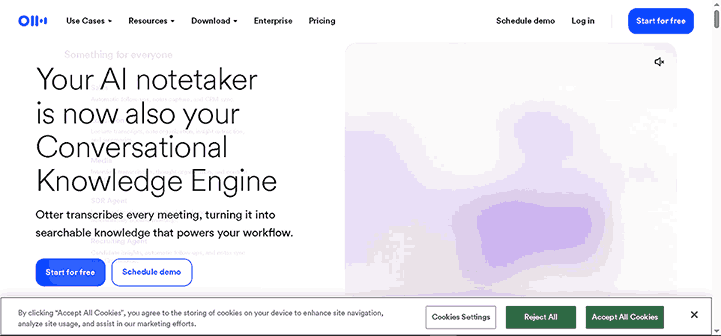
Otter.ai was the first AI meeting assistant I used regularly, and it’s still one of the easiest tools to recommend.
What impressed me wasn’t just the transcription. It was how quickly I could go from a one-hour meeting to a clean summary with action items. Instead of replaying recordings, I could scan a few paragraphs and remember exactly what happened.
If your workday is filled with Zoom or Google Meet calls, Otter.ai can save a surprising amount of time.
Overview
Otter.ai is an AI-powered meeting assistant that records conversations, creates accurate transcripts, generates summaries, and highlights action items automatically.
Key Features
- Live meeting transcription
- AI-generated meeting summaries
- Speaker identification
- Action item detection
- Searchable transcripts
- Meeting recording
- Team collaboration
- Integration with Zoom, Google Meet, and Microsoft Teams
Pros
- Very accurate transcription
- Excellent meeting summaries
- Easy-to-use interface
- Fast transcript generation
- Reliable speaker recognition
Cons
- Free plan has monthly limits
- Accuracy depends on audio quality
Pricing
Otter.ai offers a free plan with paid subscriptions for longer recordings, advanced collaboration, and additional AI features.
My Experience
During a one-hour project meeting, Otter captured nearly everything correctly, including action items and speaker changes.
The summary wasn’t perfect, but it saved me from spending another twenty minutes organizing handwritten notes.
Best For
- Remote teams
- Students
- Project managers
- Business meetings
2. Fireflies.ai
Fireflies.ai feels more like a meeting assistant than a simple transcription tool.
Instead of only recording conversations, it organizes discussions, tracks action items, and makes sharing meeting notes incredibly simple.
I especially liked how easy it was to search past conversations.
Overview
Fireflies.ai automatically records meetings, creates searchable transcripts, summarizes conversations, and helps teams collaborate after meetings.
Key Features
- Automatic meeting recording
- AI summaries
- Speaker identification
- Meeting search
- Team collaboration
- CRM integrations
- Slack integration
- Action item tracking
Pros
- Excellent collaboration tools
- Accurate summaries
- Easy sharing
- Strong integrations
- Helpful meeting search
Cons
- Advanced integrations require paid plans
- Dashboard takes a little time to learn
Pricing
Fireflies.ai offers a free plan with premium subscriptions for unlimited storage and advanced AI features.
My Experience
I used Fireflies during several brainstorming sessions.
Being able to search every meeting later saved far more time than I expected. Instead of asking teammates, “Who mentioned that idea?” I simply searched one keyword.
Best For
- Business teams
- Agencies
- Sales teams
- Remote collaboration
3. Fathom
Fathom surprised me.
I originally installed it for Zoom meetings, expecting basic transcripts.
Instead, I found one of the cleanest AI summary tools I’ve tested.
The summaries are organized, concise, and genuinely useful.
Overview
Fathom automatically records meetings, creates AI summaries, and highlights important discussion points for quick review.
Key Features
- Zoom integration
- AI summaries
- Highlight important moments
- Instant meeting notes
- CRM support
- One-click sharing
Pros
- Excellent summaries
- Clean interface
- Fast processing
- Easy sharing
- Free plan available
Cons
- Platform support isn’t as broad as some competitors
- Better suited to business meetings
Pricing
Fathom provides a generous free plan with premium features for teams.
My Experience
The biggest advantage was speed.
Within minutes of ending the meeting, I already had a polished summary ready to share with the team.
Best For
- Sales professionals
- Consultants
- Managers
- Client meetings
4. Avoma
Avoma is built with business meetings in mind.
It goes beyond transcription by helping teams manage customer conversations, sales calls, and internal meetings.
For companies that rely heavily on online meetings, it’s one of the most complete solutions available.
Overview
Avoma combines AI meeting notes with conversation intelligence, scheduling, coaching, and CRM integrations.
Key Features
- AI meeting notes
- Smart summaries
- Sales coaching
- Meeting scheduling
- CRM integration
- Speaker analytics
- Action items
Pros
- Powerful business features
- Detailed summaries
- Great CRM support
- Excellent meeting insights
Cons
- More expensive than many alternatives
- Some features may be unnecessary for individuals
Pricing
Avoma offers limited free access with premium plans designed for businesses and growing teams.
My Experience
I tested Avoma during a mock sales meeting.
Besides producing accurate notes, it highlighted customer questions and follow-up tasks automatically, which could be extremely useful for sales teams.
Best For
- Sales teams
- Customer success teams
- Growing businesses
5. tl;dv
The name alone caught my attention.
Short for “Too Long; Didn’t View,” tl;dv focuses on helping people review meetings without watching entire recordings.
Its timestamped summaries make finding important discussions incredibly easy.
Overview
tl;dv records online meetings, creates AI summaries, timestamps important moments, and makes sharing meeting highlights simple.
Key Features
- AI meeting summaries
- Meeting recording
- Timestamp highlights
- Searchable transcripts
- Zoom integration
- Google Meet integration
- Team sharing
Pros
- Excellent navigation
- Fast summaries
- Easy collaboration
- Simple interface
- Helpful timestamps
Cons
- Some advanced exports require paid plans
- Limited support for certain meeting platforms
Pricing
tl;dv offers a free version with premium subscriptions for additional storage and collaboration features.
My Experience
The timestamp feature quickly became my favorite.
Instead of replaying a full meeting, I jumped directly to the exact moment a decision was made.
Best For
- Remote teams
- Product teams
- Marketing teams
- Consultants
6. Notta
If you regularly attend multilingual meetings, Notta deserves serious attention.
Unlike many competitors, it supports numerous languages while maintaining strong transcription accuracy.
That makes it particularly useful for international teams.
Overview
Notta is an AI transcription and meeting note platform designed for multilingual conversations and automatic meeting summaries.
Key Features
- AI transcription
- Multiple language support
- AI summaries
- Speaker recognition
- Cloud synchronization
- Meeting recording
- File transcription
Pros
- Excellent language support
- Accurate transcription
- Fast processing
- Easy exports
- Clean interface
Cons
- The free plan has usage limits
- Advanced collaboration features require Premium
Pricing
Notta includes a free plan with paid subscriptions for additional transcription hours and AI capabilities.
My Experience
I tested Notta using recordings with different accents.
Its transcription quality remained surprisingly consistent, making it one of the better choices for multilingual teams.
Best For
- International businesses
- Students
- Researchers
- Remote teams
Which of These Six Tools Impressed Me Most?
After spending several weeks testing these AI meeting assistants, each one stood out for a different reason.
- Otter.ai offered the best all-around balance of transcription and summaries.
- Fireflies.ai was excellent for collaboration and searching old meetings.
- Fathom produced some of the cleanest AI summaries I tested.
- Avoma stood out for business teams and customer meetings.
- tl;dv made reviewing long meetings much faster with smart timestamps.
- Notta was my favorite option for multilingual transcription.
None of these tools completely replace paying attention during a meeting, but they dramatically reduce the effort required to capture important details.
7. Grain
Grain is one of those tools that feels like it was built specifically for people who spend their day talking to customers.
While testing it, I noticed it wasn’t just recording meetings. It made finding important moments incredibly easy by allowing me to create short clips from longer conversations.
If you regularly conduct interviews, customer calls, or product demos, this feature alone can save hours.
Overview
Grain is an AI-powered meeting recorder that creates transcripts, summaries, highlight clips, and searchable meeting notes.
Key Features
- AI meeting summaries
- Automatic transcription
- Video highlights
- Speaker identification
- Searchable transcripts
- CRM integration
- Team collaboration
Pros
- Excellent video clipping tools
- Accurate transcripts
- Clean interface
- Easy sharing
- Helpful AI summaries
Cons
- Premium features require a paid plan
- Better suited for business users than casual users
Pricing
Grain offers a free version with premium plans for advanced collaboration and storage.
My Experience
I tested Grain during a client feedback session.
Instead of sending the entire recording to my teammate, I simply shared a two-minute highlight containing the most important discussion.
That feature alone made follow-ups much faster.
Best For
- Sales teams
- Product managers
- Customer interviews
- Marketing teams
8. Sembly AI
Sembly AI focuses heavily on productivity.
Rather than simply creating transcripts, it tries to understand the conversation and organize everything into useful categories.
It automatically detects tasks, decisions, and important discussion points, which reduces the amount of manual editing afterward.
Overview
Sembly AI records meetings, generates AI-powered summaries, identifies action items, and creates searchable meeting archives.
Key Features
- AI summaries
- Automatic action items
- Speaker recognition
- Meeting recording
- Searchable transcripts
- Cloud storage
- Team collaboration
Pros
- Smart meeting summaries
- Helpful action-item detection
- Supports multiple meeting platforms
- Easy search
Cons
- Premium plans unlock most advanced AI features
- Free transcription hours are limited
Pricing
Sembly AI includes a free plan with paid subscriptions for businesses and professionals.
My Experience
The automatic task detection worked surprisingly well.
Instead of manually creating a to-do list after the meeting, most assignments were already organized inside the summary.
Best For
- Project managers
- Business teams
- Consultants
- Remote companies
9. MeetGeek
MeetGeek is one of the most complete AI meeting assistants I tested.
It combines recording, transcription, AI summaries, analytics, and integrations into one platform.
If your company spends several hours every week in meetings, MeetGeek can quickly become part of your workflow.
Overview
MeetGeek automatically joins meetings, records conversations, generates AI summaries, and shares organized meeting notes with your team.
Key Features
- Automatic meeting recording
- AI-generated summaries
- Action item detection
- Meeting analytics
- Calendar integration
- Searchable transcript
- Team workspace
Pros
- Excellent automation
- Reliable meeting summaries
- Strong integrations
- Easy collaboration
- Helpful analytics
Cons
- Premium plans are needed for heavy users
- Dashboard contains many features for first-time users
Pricing
MeetGeek offers a free plan along with premium subscriptions for professionals and teams.
My Experience
I appreciated that MeetGeek automatically joined scheduled meetings without requiring any extra setup.
Once the meeting ended, the summary was already waiting in my inbox.
Best For
- Growing businesses
- Remote teams
- Agencies
- Consultants
10. Supernormal
Supernormal takes a different approach.
Instead of overwhelming users with endless settings, it focuses on doing one thing well—creating fast, clean meeting notes.
The interface is one of the simplest I’ve used.
Overview
Supernormal is an AI meeting assistant that automatically records conversations and generates organized meeting notes within minutes.
Key Features
- AI summaries
- Meeting transcription
- Action items
- Google Meet integration
- Zoom support
- Team collaboration
Pros
- Very easy to use
- Fast summaries
- Clean interface
- Good transcription quality
- Helpful meeting organization
Cons
- Fewer advanced features than some competitors
- Smaller integration library
Pricing
Supernormal provides a free plan with premium subscriptions for larger teams.
My Experience
I tested Supernormal during several internal meetings.
The summaries were short, well-organized, and required very little editing before sharing.
Best For
- Small businesses
- Startups
- Students
- Everyday meetings
Honorable Mentions
Several other AI meeting note tools are also worth considering depending on your workflow.
Krisp AI
Originally known for noise cancellation, Krisp now offers AI-powered meeting notes and summaries.
It’s especially useful if your meetings often include background noise.
Microsoft Copilot
If your organization already uses Microsoft 365 and Teams, Microsoft Copilot can summarize meetings, create action items, and help search previous conversations without needing a separate application.
Google Gemini for Meet
Google has continued adding AI features to Google Meet.
Gemini can summarize meetings, organize notes, and help identify follow-up tasks directly inside Google’s ecosystem.
Zoom AI Companion
If your team already relies on Zoom, AI Companion is worth exploring.
It creates meeting summaries, answers questions about discussions, and helps generate follow-up notes without leaving Zoom.
Best Free AI Tools for Meeting Notes
Not everyone needs an expensive subscription.
Several free AI meeting assistants provide enough features for students, freelancers, and small teams.
Here are my favorites.
| Tool | Why I Recommend It |
|---|---|
| Otter.ai | Excellent transcription and summaries |
| Fireflies.ai | Great collaboration features |
| Fathom | One of the best free AI summaries |
| Notta | Strong multilingual support |
| MeetGeek | Excellent automation |
| Supernormal | Clean, beginner-friendly interface |
Most free plans limit recording hours each month, but they’re usually enough if you don’t attend meetings every day.
Free vs Paid AI Meeting Note Tools
While testing these platforms, I noticed that free versions are often more capable than people expect.
For occasional meetings, they’re usually enough.
However, paid plans become worthwhile if you regularly need:
- Unlimited transcription
- Longer recordings
- Team collaboration
- CRM integrations
- Advanced AI summaries
- Meeting analytics
- Cloud storage
For businesses holding multiple meetings every week, a paid subscription can easily save several hours of administrative work each month.
Which AI Meeting Note Tool Is Right for You?
Here’s a quick recommendation based on different situations.
For Students
- Otter.ai
- Notta
- Supernormal
For Remote Teams
- Fireflies.ai
- MeetGeek
- Sembly AI
For Sales Teams
- Avoma
- Grain
- Fathom
For Small Businesses
- MeetGeek
- Fireflies.ai
- Otter.ai
For International Teams
- Notta
- Otter.ai
- Sembly AI
How to Get the Best Results from AI Meeting Note Tools
After using AI meeting assistants for several months, I noticed something interesting.
People often blame the software when the notes aren’t accurate, but in many cases, the problem starts before the meeting even begins.
Small changes can make a huge difference in transcript quality and AI-generated summaries.
Here’s the workflow that has worked best for me.
Step 1: Use Good Audio
AI performs much better when everyone can be heard clearly.
If possible:
- Use a quality microphone.
- Reduce background noise.
- Ask participants to avoid talking over each other.
- Wear headphones during online meetings.
Even the smartest AI struggles with poor audio.
Step 2: Connect the AI Before the Meeting Starts
Most AI meeting note tools integrate with platforms like Zoom, Google Meet, and Microsoft Teams.
Connect your calendar or meeting platform beforehand so the AI assistant joins automatically.
This prevents you from forgetting to start recording.
Step 3: Let the AI Record Everything
Don’t worry about typing every detail.
Instead, focus on participating in the conversation.
Ask questions, share ideas, and stay engaged while the AI captures the discussion in the background.
Step 4: Review the Summary
AI summaries are helpful, but they aren’t perfect.
Spend two or three minutes checking:
- Names
- Dates
- Numbers
- Deadlines
- Technical terms
- Assigned tasks
A quick review can prevent misunderstandings later.
Step 5: Share Notes Quickly
One habit that has improved our team’s communication is sending meeting notes soon after the meeting ends.
Most AI tools let you share summaries with one click.
The sooner everyone receives the notes, the easier it is to confirm responsibilities and keep projects moving.
Step 6: Archive Important Meetings
Instead of letting transcripts pile up, organize them into folders.
You might separate them by:
- Clients
- Projects
- Departments
- Monthly meetings
- Training sessions
A searchable archive becomes incredibly valuable after a few months.
Real Situations Where AI Meeting Note Tools Help
These tools aren’t only for business professionals.
I’ve seen them work well in many different situations.
Team Meetings
Instead of assigning one person to take notes, everyone can focus on the discussion while AI creates the summary.
Client Calls
Client meetings often include deadlines, pricing, feedback, and project requests.
Having an accurate transcript reduces misunderstandings and makes follow-ups much easier.
Online Classes
Students can pay attention to lectures instead of trying to write every sentence.
Later, they can review AI-generated notes and search transcripts for important topics.
Interviews
Journalists, researchers, recruiters, and HR professionals can spend more time asking thoughtful questions and less time typing.
Webinars
Rather than replaying an hour-long recording, AI tools can summarize the main ideas and key takeaways within minutes.
Common Mistakes to Avoid
Even the best AI meeting assistant won’t produce perfect results if it’s used incorrectly.
Here are the mistakes I see most often.
Depending Entirely on AI
AI should support your work, not replace your judgment.
Always review important summaries before sharing them.
Ignoring Privacy Policies
Some meetings contain confidential business information.
Before recording, make sure your organization allows AI transcription and that participants are aware of the recording when required.
Using Poor Audio Equipment
Low-quality microphones and noisy environments reduce transcription accuracy.
A simple headset often makes a noticeable difference.
Forgetting to Organize Notes
After several months, you’ll have dozens—or even hundreds—of meeting transcripts.
Create folders or tags so you can quickly find past discussions.
Choosing Features You Don’t Need
Some AI meeting tools offer advanced analytics, sales coaching, and CRM integrations.
If you only attend a few meetings each week, a simpler and less expensive tool may be a better fit.
Frequently Asked Questions
What is the best AI tool for meeting notes?
If I had to recommend one overall, Otter.ai offers the best combination of transcription accuracy, AI summaries, ease of use, and affordability.
However, the best choice depends on your needs.
- Fireflies.ai is excellent for collaboration.
- Fathom works well for business meetings.
- Notta is ideal for multilingual conversations.
- MeetGeek provides excellent automation.
- Supernormal is perfect for users who want a simple experience.
Are AI meeting notes accurate?
Most modern AI meeting assistants are highly accurate when audio quality is good.
Clear speech, minimal background noise, and participants avoiding interruptions all improve transcription quality.
Even so, it’s always a good idea to review important summaries before sharing them.
Can AI summarize long meetings?
Yes.
One of the biggest advantages of these tools is their ability to condense hour-long conversations into a few organized paragraphs, complete with action items and key decisions.
Do AI meeting assistants work with Zoom and Google Meet?
Yes.
Most leading platforms support popular services such as:
- Zoom
- Google Meet
- Microsoft Teams
- Webex
- Slack Huddles (on supported tools)
Always check the specific integrations offered by the tool you choose.
Are free AI meeting note tools good enough?
For many people, yes.
Students, freelancers, and small teams can often rely on free plans without any issues.
If you attend multiple meetings every day or need advanced collaboration features, upgrading to a paid plan may be worthwhile.
Are AI meeting note tools secure?
Most reputable providers use encryption and security measures to protect meeting data.
If you’re working with confidential information, review the platform’s privacy policy, data storage practices, and compliance certifications before using it.
My Final Thoughts
When I first started using AI meeting note tools, I expected them to save me a few minutes here and there.
What surprised me was how much they changed the way I participated in meetings.
Instead of dividing my attention between listening and typing, I could focus on the conversation. I asked more questions, contributed more ideas, and left meetings feeling more confident because I knew the important details had been captured.
That doesn’t mean AI is perfect.
Every tool I tested made occasional mistakes, especially when audio quality was poor or when several people spoke at the same time. That’s why I still spend a few minutes reviewing summaries before sharing them.
If you’re just getting started, I recommend trying a free plan first. Tools like Otter.ai, Fireflies.ai, Fathom, or MeetGeek provide more than enough features for most users to see the benefits without spending any money.
Once you find a tool that fits your workflow, you’ll probably wonder how you managed meetings without it.
The best AI meeting assistant isn’t the one with the longest feature list. It’s the one that helps you stay focused, keeps your notes organized, and gives you more time to do meaningful work instead of worrying about what you forgot to write down.
Related posts:
AI for business
top 10 ai tools for students free
AI Writing Tools: 27 Best AI Writing Assistants Tested in 2026
AI Image Generation: The Complete Beginner-to-Pro Guide 2026
AI Video Generation Tools: A Complete Beginner’s Guide 2026
18 Best AI Productivity Tools That Help Me Save Hours Every Week (2026 Guide)
15 Best AI Coding Tools in 2026: Features, Pricing, Pros & Cons (Tested Guide)